Set up Network24 on Android TV, Google TV, Chromecast with Google TV, Nvidia Shield, and compatible Android boxes.
Before you start
Have a supported Android TV/Google TV device, internet access, and your Network24 welcome email ready. A Samsung or LG TV without Android/Google TV needs the separate Smart TV guide.
Have a supported Android TV/Google TV device, internet access, and your Network24 welcome email ready. A Samsung or LG TV without Android/Google TV needs the separate Smart TV guide.
Important
The Network24 APK is for Android-based devices. No root access is needed. Only allow installation from a source you intentionally use, and turn that permission off afterward if you wish.
The Network24 APK is for Android-based devices. No root access is needed. Only allow installation from a source you intentionally use, and turn that permission off afterward if you wish.
Step-by-step setup
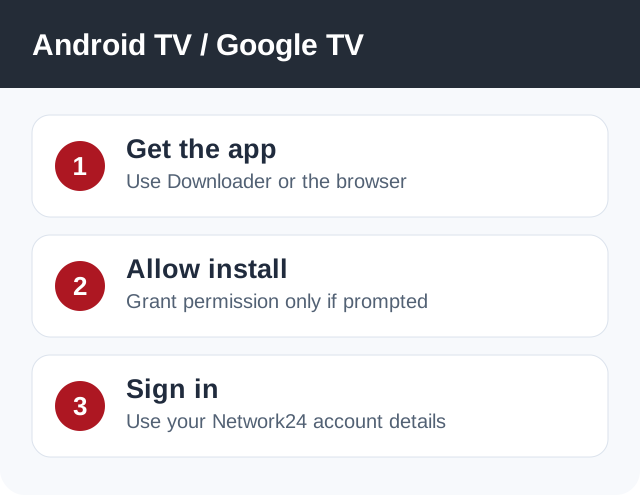
- Open Google Play Store on the TV and install Downloader if it is available. Alternatively, open the device browser.
- In Downloader/browser, enter the regular app URL https://bit.ly/3drV8Av. You may use Downloader code 9134519 for the latest beta or 39645 for Batman Dark Edition.
- If Android asks whether Downloader/browser may install unknown apps, open the offered settings screen and allow that specific app. Menu names vary by manufacturer.
- Install and launch the Network24 app. Enter the username and password from your welcome email. Provide the server URL only if your selected player asks for it.
- Let the first channel list and EPG sync finish. Test a channel, then return to device settings if you want to revoke the temporary installation permission.
Player or app options
Regular app · Latest Beta, code 9134519 · Batman Dark Edition, code 39645.
If it does not work
- If installation is blocked, check the Android permission prompt and free storage.
- If the app installs but the remote cannot navigate it, use a TV-oriented player from the official Play Store and your Xtream Codes details.
- If login fails, re-enter the welcome-email details without extra spaces.
Quick answers
Will this work on every Smart TV?
Only Android TV and Google TV models can install Android APK files. Use the Smart TV guide for other platforms.
Is the beta required?
No. Start with the regular app unless you specifically want to test beta.
Need help?
Open a support ticket and include your device model, app name, and the exact error. Do not post your password publicly.
Open a support ticket and include your device model, app name, and the exact error. Do not post your password publicly.