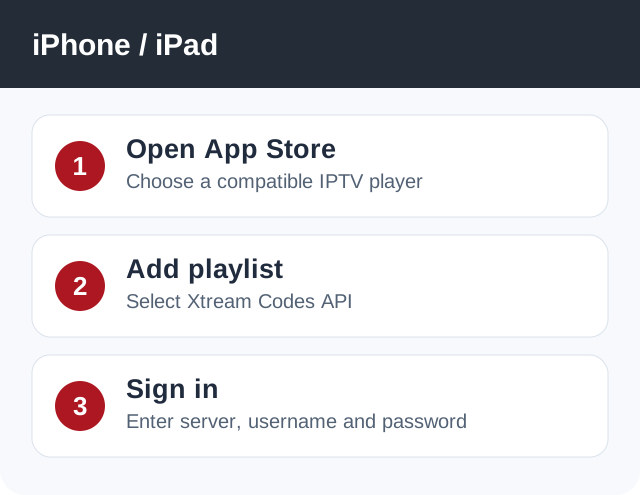
Watch on iPhone or iPad with an App Store IPTV player that supports Xtream Codes login.
Before you start
Keep your Network24 welcome email ready. You will need the server URL, username and password for a third-party player.
Keep your Network24 welcome email ready. You will need the server URL, username and password for a third-party player.
Important
Do not try to install the Network24 Android APK on iOS. App Store players are separate products and may have optional fees.
Do not try to install the Network24 Android APK on iOS. App Store players are separate products and may have optional fees.
Step-by-step setup
- Open the iPhone/iPad App Store and install a reputable IPTV player that explicitly supports Xtream Codes API.
- Open the player and choose Add Playlist or Add User, then select the Xtream Codes / XC API method.
- Enter a name for the playlist and copy the exact Network24 server URL, username and password from your welcome email. Save the account.
- Wait for categories and guide data to load. Open Live TV, choose a channel and test playback on Wi-Fi.
Player or app options
If one player cannot decode a particular stream, another compatible App Store player may work. Do not assume a third-party player subscription is included with Network24.
If it does not work
- If the player says invalid login, remove spaces and check the protocol/port in the server URL.
- If playback works but the guide is blank, refresh EPG inside the player.
- If playback stops when another device starts, verify your plan's simultaneous-connection limit.
Quick answers
Can I use the Android download link on iPhone?
No. iOS cannot install Android APK files.
Do I need to jailbreak?
No. Use an App Store player.
Need help?
Open a support ticket and include your device model, app name, and the exact error. Do not post your password publicly.
Open a support ticket and include your device model, app name, and the exact error. Do not post your password publicly.