Roku cannot install the Network24 Android APK. Use a compatible Roku Channel Store player if one is available for your device and region.
Before you start
Have your Roku device, your Network24 account details, and access to the Roku Channel Store. Player availability varies by model and region.
Have your Roku device, your Network24 account details, and access to the Roku Channel Store. Player availability varies by model and region.
Important
Do not enter your Network24 login into an unknown website. If a Roku player requires a web-based pairing/playlist portal, verify that the address is the player developer's official site. Roku support depends on a suitable player being available.
Do not enter your Network24 login into an unknown website. If a Roku player requires a web-based pairing/playlist portal, verify that the address is the player developer's official site. Roku support depends on a suitable player being available.
Step-by-step setup
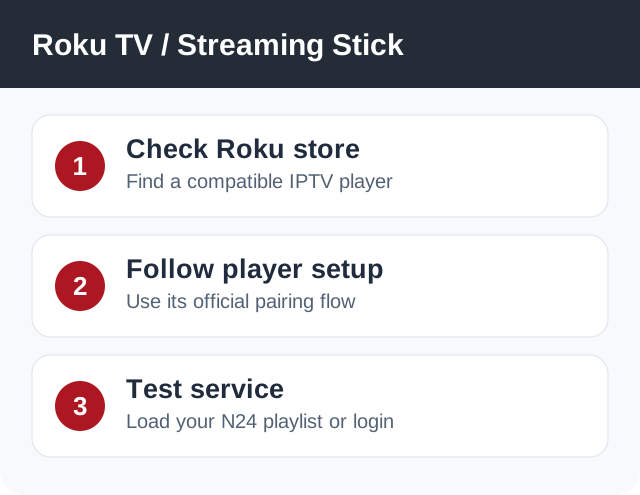
- On Roku, open the Channel Store and look for an IPTV player that explicitly supports your method: Xtream Codes login or M3U playlist.
- Install the player and read its own setup screen. Some players ask you to add the playlist through their official website using a device code.
- Use your Network24 details from the welcome email only with that verified player. If it requires an M3U URL instead of Xtream Codes, request the correct format from support.
- Refresh the player, wait for channels to load, and test playback. If no appropriate player is available, use an HDMI Fire TV/Android TV device or contact support.
If it does not work
- If the player is not in the Channel Store, do not assume an Android APK can be installed on Roku.
- If the player asks for a fee, that is its own charge and not a Network24 renewal.
- If pairing fails, check the developer's official instructions and code expiry.
Quick answers
Can I use Downloader code 9134519 on Roku?
No. Roku does not install Android APK packages.
Is Roku support guaranteed?
It depends on a suitable player in your model's Channel Store.
Need help?
Open a support ticket and include your device model, app name, and the exact error. Do not post your password publicly.
Open a support ticket and include your device model, app name, and the exact error. Do not post your password publicly.