Use a desktop IPTV player with Xtream Codes support, or a compatible M3U player if your account includes an M3U link.
Before you start
Have your Network24 welcome email and a stable internet connection. Download media players only from their official developer websites or operating-system stores.
Have your Network24 welcome email and a stable internet connection. Download media players only from their official developer websites or operating-system stores.
Important
The Network24 Android APK is not a Windows or Mac installer. Do not run unofficial APK-to-desktop converters or upload your credentials to a random web player.
The Network24 Android APK is not a Windows or Mac installer. Do not run unofficial APK-to-desktop converters or upload your credentials to a random web player.
Step-by-step setup
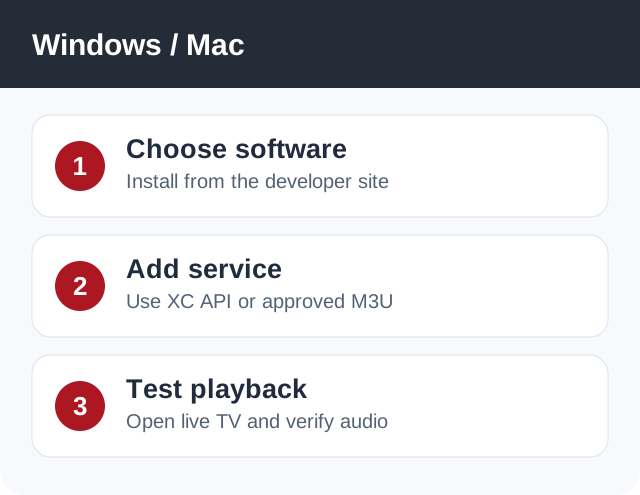
- Install a trusted desktop IPTV player that supports Xtream Codes. If you already have an approved M3U URL, a media player that opens network playlists is another option.
- In the player, choose Add Account / Xtream Codes API. Enter the Network24 server URL, username and password exactly as shown in your welcome email.
- If using an M3U player, choose its Open Network Stream / Open URL option and paste the M3U URL supplied by Network24. Do not construct a URL from guesses.
- Wait for the channel list, then test video and audio. For a desktop connected to a large TV, wired Ethernet can be more stable than weak Wi-Fi.
If it does not work
- If login fails, check URL protocol and port, then the username and password.
- If audio is missing in one player, test a different supported player before changing your account.
- If every channel fails, check subscription status and contact support.
Quick answers
Can I run the Network24 APK on a PC or Mac?
It is an Android package, not a native desktop installer.
Can I use an M3U URL?
Yes, if Network24 has supplied one for your account and the player supports it.
Need help?
Open a support ticket and include your device model, app name, and the exact error. Do not post your password publicly.
Open a support ticket and include your device model, app name, and the exact error. Do not post your password publicly.