Install the Network24 Android app on a phone or tablet and sign in with your subscription.
Before you start
Use an Android phone or tablet with a stable connection and enough free storage. Keep your Network24 login details handy.
Use an Android phone or tablet with a stable connection and enough free storage. Keep your Network24 login details handy.
Important
Android APK files do not install on iPhone or iPad. Use the separate Apple guide on those devices.
Android APK files do not install on iPhone or iPad. Use the separate Apple guide on those devices.
Step-by-step setup
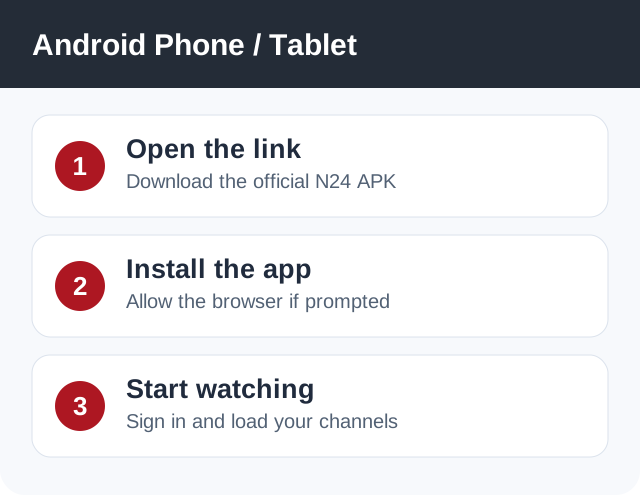
- On the Android device, open https://bit.ly/3drV8Av in your browser and download the Network24 APK.
- Open the completed download. If Android asks for permission to install from this browser, allow it for this installation. Do not enable a device-wide setting unnecessarily.
- Tap Install and then Open. If you already use a version of the app, preserve your login details before replacing it.
- Enter the Network24 username and password from your welcome email. Wait for the channel list, then try a live channel over Wi-Fi.
Player or app options
The Fire TV/Android TV beta and Batman Dark Edition links are separate optional builds; the regular link above is the recommended starting point for a phone.
If it does not work
- If Android says the file cannot be installed, confirm it downloaded completely and that the device is compatible.
- If channels do not appear, confirm the subscription is active and the login was typed exactly.
- For mobile data buffering, test on stable Wi-Fi to separate an app issue from network quality.
Quick answers
Can I use my account on a phone and TV?
You can configure supported devices, but simultaneous playback is limited by the number of connections in your plan.
Do I need to root Android?
No.
Need help?
Open a support ticket and include your device model, app name, and the exact error. Do not post your password publicly.
Open a support ticket and include your device model, app name, and the exact error. Do not post your password publicly.